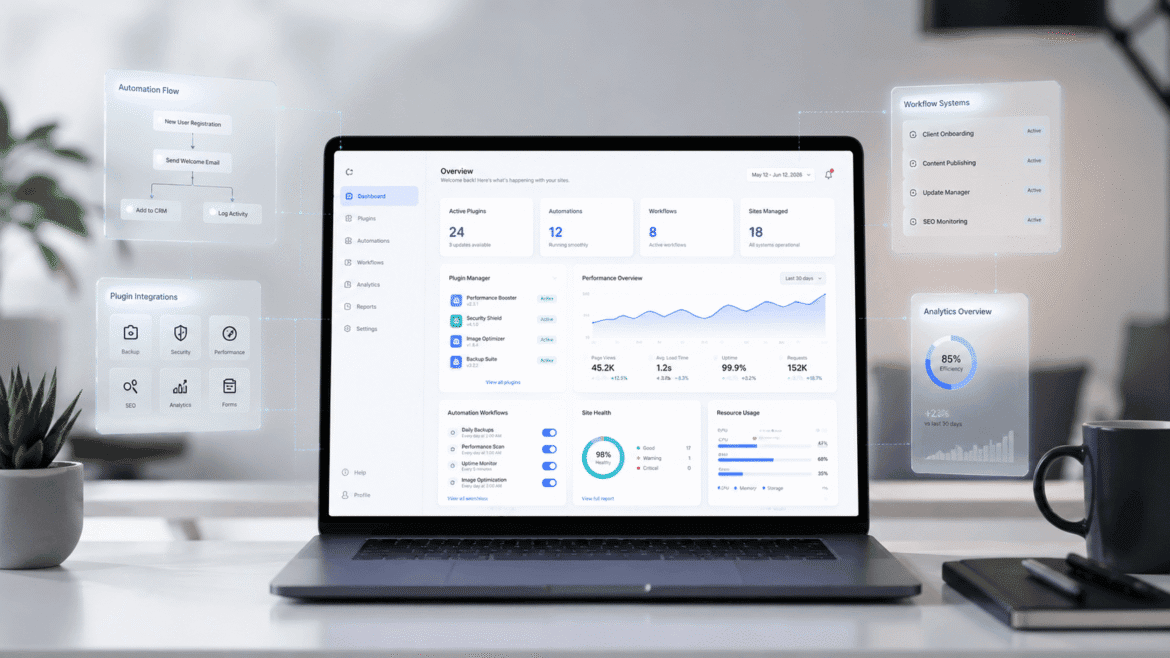
Agencies, freelancers, and SaaS teams usually do not need more plugins; they need a better plugin stack. The real challenge in 2026 is building a WordPress workflow that saves time, reduces handoff friction, improves site performance, and supports growth without turning every project into plugin chaos.
This guide focuses on utility plugins that solve practical business problems: productivity, automation, client management, performance, and development workflow. The goal is to help you choose a stack that improves delivery speed and operational quality, not just install another tool for the sake of it.
Why Top WordPress Plugins Matter in 2026
WordPress in 2026 is no longer just a CMS for publishing pages. It is part of a broader SaaS productivity stack, a delivery layer for client sites, and often the front end for marketing, onboarding, lead capture, and automation workflows. That means plugin choices have a direct impact on business efficiency.
Utility plugins matter because they help teams do more with fewer manual steps. A good plugin stack can automate repetitive tasks, improve site speed, simplify content operations, and create more reliable workflows across multiple sites. For agencies and freelancers, that translates into lower delivery time and more consistent client outcomes.
For SaaS companies, utility plugins are often the glue between WordPress and the rest of the product ecosystem. They help connect forms, CRMs, email platforms, dashboards, and onboarding systems without requiring custom engineering for every small workflow.
How to Choose the Right Top WordPress Plugins
The best WordPress plugins for agencies are not necessarily the most popular ones. The right stack depends on the type of work you do and how much of the process you want to automate. Instead of asking, “What are the best plugins?” ask, “Which parts of the workflow are costing us the most time?”
A strong utility stack usually covers five areas:
- Productivity.
- Automation.
- Performance optimization.
- Client management.
- Development workflow tools.
That structure helps you avoid random plugin installs and makes your site architecture easier to manage. It also gives you a practical framework for evaluating new tools in the WordPress ecosystem.
If you maintain a curated plugin library, it helps to organize it under a resource hub such as or a dedicated internal reference page for your team.
Top WordPress Plugin Categories
Productivi ty plugins reduce the friction of everyday work. They help with content creation, admin tasks, editing, formatting, and repetitive site updates. For freelancers and agencies, these plugins often deliver the fastest return because they save hours across multiple projects.
Productivity Plugins
WordPress automation plugins 2026 are increasingly valuable because teams want less manual work and more connected systems. Automation tools can trigger emails, sync form data, move leads into CRMs, or connect site events to external apps. This is especially useful when WordPress is part of a larger marketing or sales pipeline.
Automation Plugins
WordPress performance and utility tools matter because utility should never come at the cost of speed. Plugins that improve caching, image handling, asset loading, and code efficiency can support both UX and SEO. If a plugin creates too much overhead, it can hurt the very outcomes it is supposed to improve.
Performance Optimization Plugins
For agencies, client management plugins are a major pain point. Plugins that improve workflow approvals, client dashboards, access control, reporting, and communication can make delivery smoother and reduce support overhead. This category is often overlooked, even though it directly affects retention and perceived professionalism.
Client Management Plugins
The best workflow plugins for WordPress developers help teams move faster without breaking stability. These tools often support staging, code organization, custom hooks, snippet management, workflow automation, and task visibility. They are especially useful for teams that ship many sites or maintain complex builds.
Development Workflow Plugins
Rather than treating every plugin as equal, it helps to evaluate tools by the problem they solve. Below is a more strategic view of what agencies, freelancers, and SaaS teams should prioritize.
| Use case | What to look for | Why it matters |
| Productivity | Editors, templates, quick actions, reusable components | Reduces daily admin work |
| Automation | Webhooks, triggers, form integrations, conditional logic | Saves time and improves lead flow |
| Performance | Caching, minification, image optimization, asset control | Protects speed and SEO |
| Client management | Role control, dashboards, approvals, reporting | Improves handoff and retention |
| Development workflow | Snippets, hooks, logging, staging support | Speeds up delivery and debugging |
Top WordPress Plugins by Use Case
Top WordPress Plugins 2026 usually share the same traits. They are lightweight, stable, well-documented, and focused on solving one clear problem well. They should also play nicely with other tools because most real-world teams run a stack, not a single plugin.
A useful plugin should:
- Reduce manual work.
- Fit cleanly into an existing workflow.
- Avoid bloated interfaces.
- Support integrations or extensibility.
- Have a clear update and support history.
This is where plugin architecture becomes important. A good utility plugin should behave like infrastructure, not clutter. That is especially true for agencies that manage many client installs and cannot afford unpredictable conflicts.
Building the Perfect WordPress Plugin Stack
A smart plugin stack is built around purpose, not brand loyalty. Agencies should standardize on a core set of tools, then add specialized plugins only when a project requires them. Freelancers benefit from a smaller stack that improves speed, consistency, and maintenance simplicity.
A practical stack often looks like this:
- One productivity plugin for editing or content workflow.
- One automation plugin for leads, notifications, or integrations.
- One performance plugin for speed optimization.
- One client-facing or access-management plugin.
- One developer tool for custom workflow support.
The mistake most teams make is installing multiple plugins that overlap. That creates conflicts, slows down pages, and makes debugging harder. A cleaner stack is easier to support, easier to document, and easier to scale across multiple client sites.
If your team has an internal delivery playbook, it makes sense to connect this strategy to a page or a workflow framework.
How Top WordPress Plugins Help SaaS Businesses
WordPress utility plugins are especially useful for SaaS companies that use WordPress for marketing, onboarding, or customer operations. In many SaaS environments, WordPress is the front door to the product, not the product itself.
Performance, Security & Scalability Tips
Forms, landing pages, popups, and conversion tools are often the first touchpoint for a SaaS business. Utility plugins can connect these assets to CRMs, email platforms, and lead scoring systems. That means less manual exporting and faster follow-up.
Onboarding flows
Some SaaS teams use WordPress for documentation, trial onboarding, or account activation journeys. Utility plugins help connect the site to internal systems and simplify handoff between marketing, product, and support.
Automation pipelines
A well-designed WordPress automation stack can trigger notifications, update records, send segmented emails, or route data based on user behavior. That is where the combination of utility plugins and automation logic becomes extremely valuable.
For teams building customer journeys around WordPress, an internal automation guide.
can help standardize how triggers, forms, and integrations work across the stack.
Performance, Security & Scalability Tips
Utility plugins should improve productivity without creating hidden costs. Every plugin adds some degree of complexity, so the key question is whether the utility gained is worth the overhead.
Performance is the first concern. A plugin that loads unnecessary scripts or adds heavy admin assets may hurt page speed, especially on client sites that already use several marketing tools. Security is the second concern. Utility plugins often connect to forms, APIs, or external services, so permissions and update quality matter more than novelty.
Scalability is the third concern. A good utility stack should work across multiple sites and remain maintainable as new clients, products, and workflows are added. This is why many agencies prefer a standardized stack: it reduces surprise and makes onboarding new team members much easier.
Common Mistakes When Choosing WordPress Plugins
The biggest mistake is over-installation. Teams often use three plugins to solve one problem, which makes the site harder to maintain and debug. A second common mistake is choosing tools based on popularity instead of workflow fit.
Other mistakes include:
- Ignoring plugin overlap.
- Skipping performance testing after installation.
- Failing to document internal plugin standards.
- Choosing tools that do not support future growth.
- Treating all plugins as equal instead of ranking them by business value.
The best WordPress plugins for agencies are the ones that support repeatable delivery, not just feature lists. Freelancers should think the same way: small, reliable, and focused beats broad but messy.
Future trends in WordPress plugins
The future of WordPress utility plugins is automation-first. In 2026 and beyond, plugins are moving toward smarter integrations, AI-assisted workflows, and no-code configuration for non-technical teams. That shift is important because more teams want business outcomes, not just technical controls.
Expect to see more:
- AI-assisted content and workflow tools.
- Better webhook and API integrations.
- Stronger compatibility with external SaaS systems.
- More modular plugin architecture.
- Easier cross-platform automation.
This trend is good for agencies and SaaS teams because it reduces custom development work for routine tasks. It also creates more room for strategic customization where it actually matters.
Choosing the right stack
When you evaluate must-have WordPress utility plugins, focus on three questions. Does this plugin save meaningful time? Does it fit the rest of the stack without conflict? Can it scale across client or product use cases?
If the answer is yes, it is probably worth testing. If the answer is no, it may be better to keep the stack lean and invest in a stronger process instead. A clean stack often outperforms a crowded one.
For SaaS teams, that same logic applies to
: your WordPress stack should support growth, not create another layer of maintenance.
Frequently Asked Questions
What are the Top WordPress plugins in 2026?
The best ones are the plugins that improve productivity, automation, performance, client management, and development workflows without creating bloat.
What makes a plugin useful for agencies?
A plugin is useful for agencies when it saves time, reduces manual work, scales across multiple client sites, and stays stable under different configurations.
Do freelancers need a large plugin stack?
No. Freelancers usually benefit from a smaller, highly curated stack that improves delivery speed and reduces maintenance overhead.
How do utility plugins help SaaS businesses?
They connect WordPress to CRMs, onboarding flows, lead systems, and automation pipelines, making WordPress more useful as part of the SaaS growth stack.
How many utility plugins should a site use?
Use as few as possible, but enough to cover real workflow needs. The right number depends on the project, not a fixed rule.
Conclusion
Top WordPress Plugins 2026 are the ones that help agencies deliver faster, freelancers stay lean, and SaaS teams build better-connected workflows. The best strategy is not to chase every new plugin, but to build a stable plugin stack that supports productivity, automation, performance, and client management.
If you treat plugins as part of your operating system rather than isolated add-ons, WordPress becomes much easier to scale. That is the real advantage in 2026: fewer manual steps, cleaner workflows, and a stack designed for business outcomes instead of plugin clutter.