
Form Organizer Pro is a WordPress plugin that centralizes all your forms from multiple plugins – including WPForms, Gravity Forms, Contact Form 7, Ninja Forms, and Formidable Forms – into a single, unified dashboard. Instead of logging into each plugin separately to find, manage, or update forms, you get a bird’s-eye view of every form across your entire WordPress site.
Designed for WordPress agencies, freelancers, and developers managing multiple client sites, Form Organizer Pro brings order to complex form ecosystems through folders, custom labels, automation rules, and bulk management tools.
Key Features
Multi-Plugin Form Detection
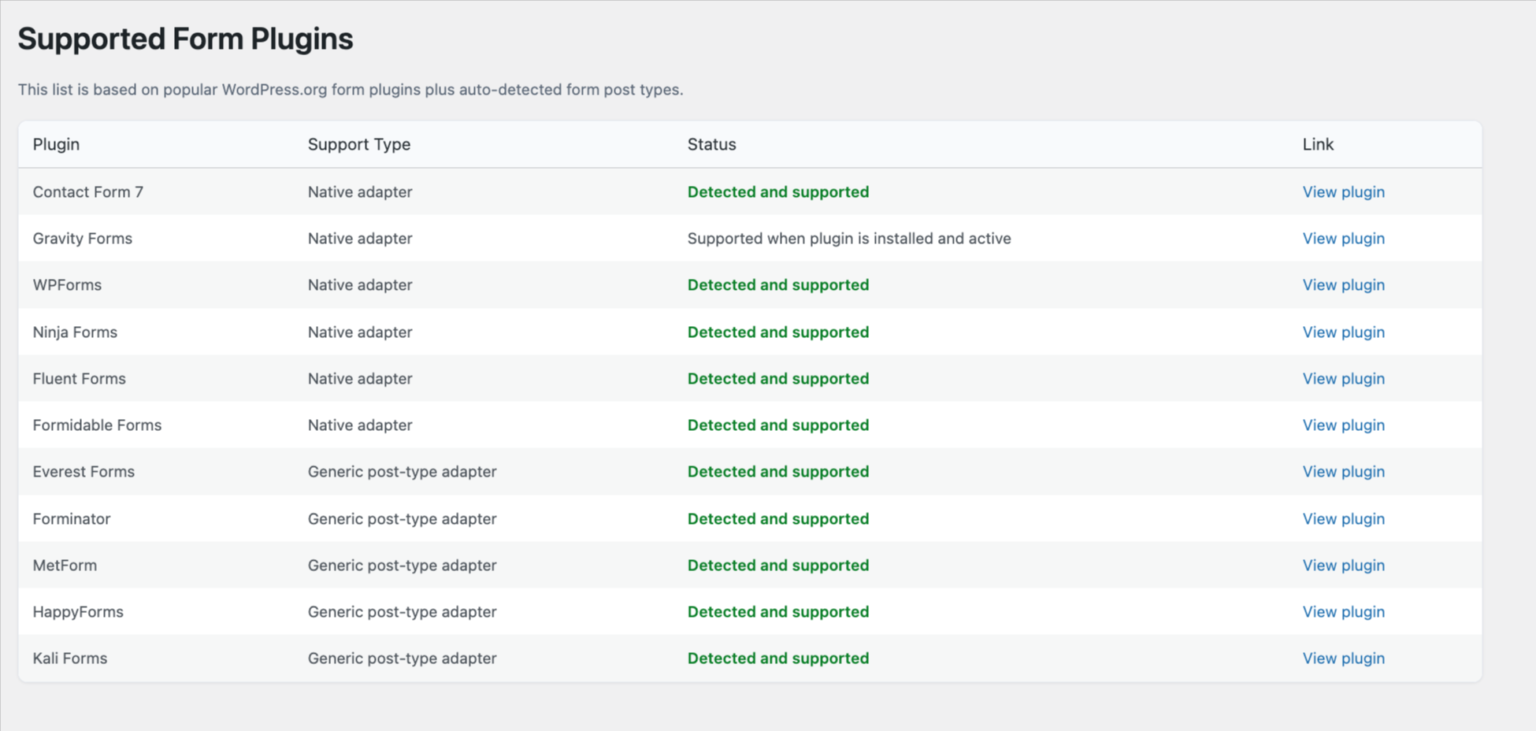
Form Organizer Pro automatically scans your WordPress installation and detects all active form-based systems. Supported plugins include WPForms, Gravity Forms, Contact Form 7, Ninja Forms, and Formidable Forms. New forms are indexed automatically – no manual setup required.
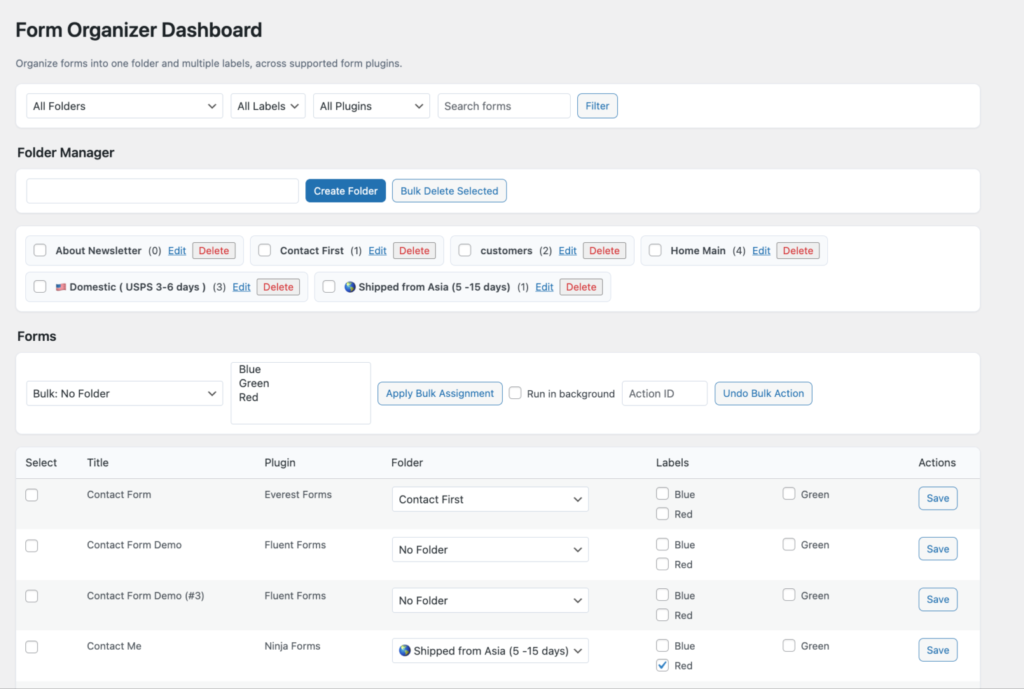
Folder & Label Organization
Create unlimited folders and labels to categorize forms by client, project, department, or any taxonomy that fits your workflow. Drag and drop forms between folders. Assign color-coded labels for instant visual identification
Automation Rules
Set rules that automatically assign folders or labels to new forms based on criteria like plugin type, form name, or creation date. This eliminates repetitive manual organization as new forms are added.
Bulk Management
Select multiple forms and perform bulk actions: move to folder, assign label, export, or delete. Dramatically reduces time spent on form administration across large projects.
Activity Logs & Analytics
Review a complete log of actions taken on each form — when it was created, when it was edited, and how many submissions it has received. Use built-in analytics to identify your highest-traffic forms.
Role-Based Access Control
Assign specific users or roles permission to view or manage specific form folders. Ideal for agencies granting client access to only their relevant forms.
Who Is Form Organizer Pro For?
• WordPress Agencies managing 10, 50, or 100+ client sites with forms from multiple plugins
• Freelance WordPress Developers who work across different form plugins on different projects
• Marketing Teams with multiple landing page forms, contact forms, and lead capture forms
• WooCommerce Store Owners with checkout forms, product inquiry forms, and support forms
Site Owners who have accumulated many forms over time and need a cleanup and organizational system
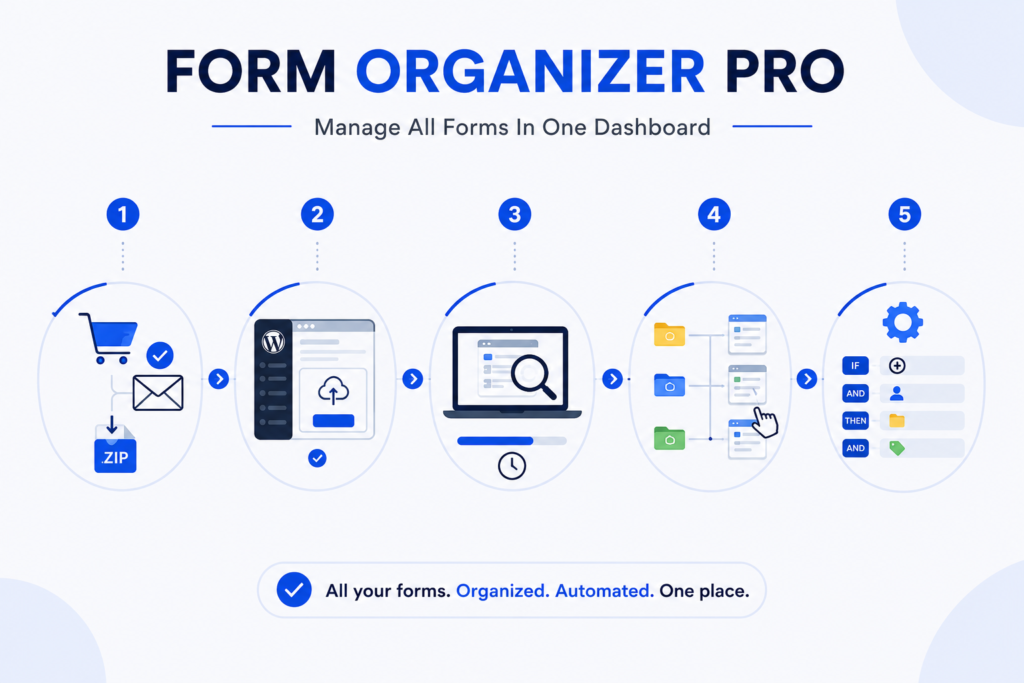
Step 1 – Purchase & Download After purchasing Form Organizer Pro, you will receive a download link via email. The plugin is delivered as a .zip file.
Step 2 – Install via WordPress Admin Navigate to WordPress Admin → Plugins → Add New → Upload Plugin. Select the .zip file you downloaded and click “Install Now,” then “Activate.”
Step 3 – Initial Form Scan After activation, the plugin automatically scans your WordPress database for all active form plugins and imports your existing forms. This usually takes under 60 seconds.
Step 4 – Create Folders and Labels Navigate to the Form Organizer Pro dashboard in your WordPress admin menu. Create folders for your clients or projects, then drag existing forms into the appropriate folders.
Step 5 – Set Up Automation Rules Go to Settings → Automation Rules. Create rules to auto-assign new forms to folders or apply labels based on your preferred criteria.
Multi-Plugin Form Support
This plugin supports many form plugins using adapters and automatic detection.
Also supports custom post type based form plugins automatically.
➜ Contact Form 7
➜ Gravity Forms
➜ Ninja Forms
➜ Formidable Forms
➜ Fluent Forms
➜ Jetpack Forms
➜ weForms
➜ MetForm
➜ Bricks Forms
➜ HappyForms
➜ Everest Forms
➜ Forminator
➜ Kali Forms
Form Organizer Pro vs. Managing Forms Manually
Feature
Manual Management
Form Organizer Pro
Find a specific form
Navigate to each plugin separately
Search in one dashboard
Organize by client
Not possible natively
Folders and labels
Bulk-move forms
Not possible
Bulk actions in one click
See submission analytics
Must check each plugin
Unified analytics view
Control access by team member
Not possible
Role-based permissions
Automate organization
Not possible
Automation rules
Automation & Workflow
This plugin includes automation system to manage form workflows.
➜ Create and manage automation rules
➜ Run bulk tasks automatically
➜ Use dry-run mode for testing
➜ Track actions with logs
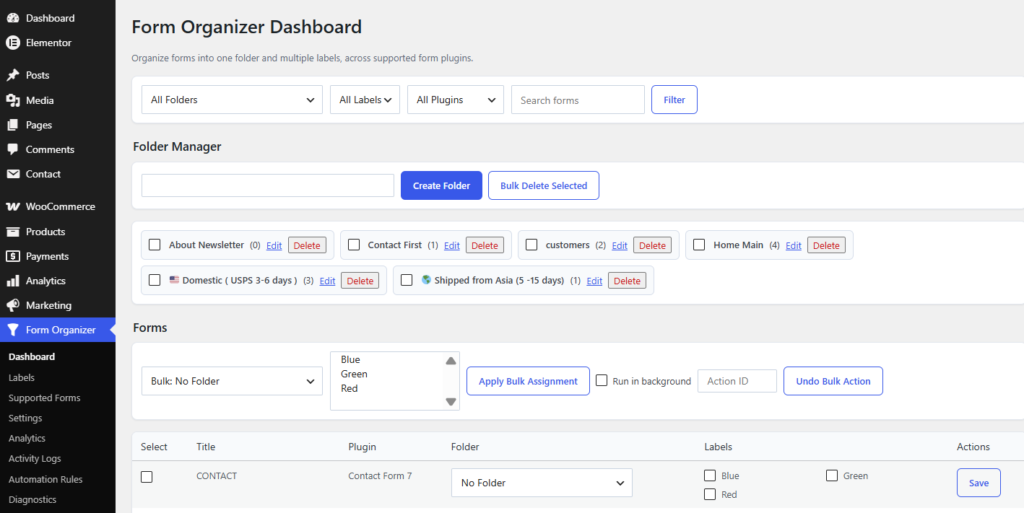
Admin Dashboard
You get a full admin panel with multiple sections:
➜ Dashboard
➜ Labels
➜ Supported Forms
➜ Analytics
➜ Activity Logs
➜ Automation Rules
➜ Diagnostics
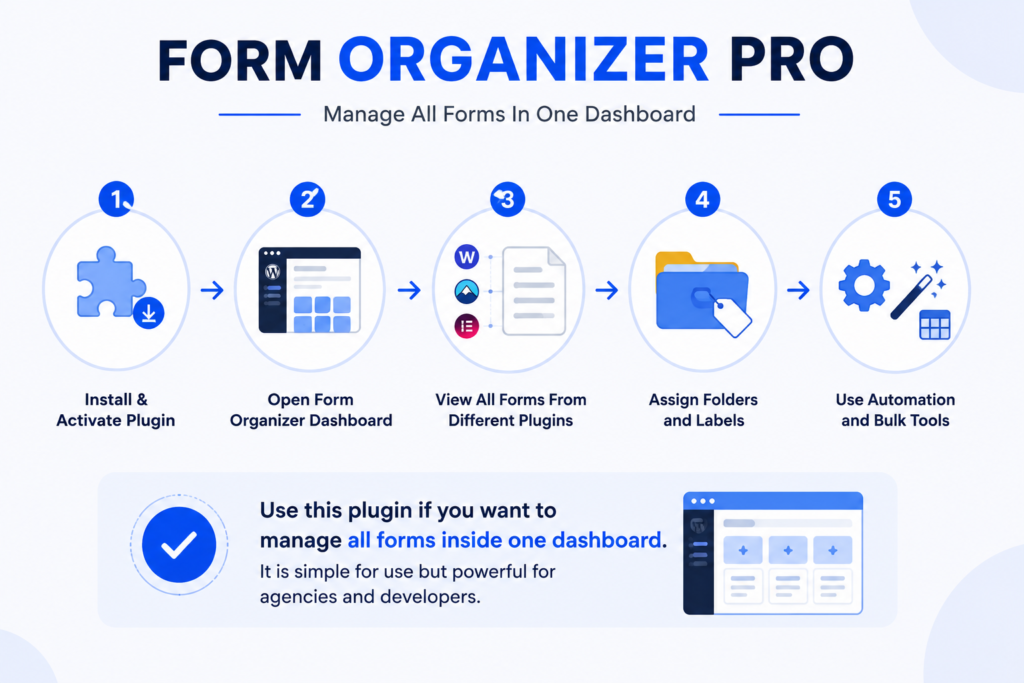
How It Works (Simple)
➜ Install and activate plugin
➜ Open Form Organizer dashboard
➜ View all forms from different plugins
➜ Assign folders and labels
➜ Use automation and bulk tools
Use this plugin if you want to manage all forms inside one dashboard.It is simple for use but powerful for agencies and developers.
Frequently Asked Questions
Does Form Organizer Pro work with WPForms and Gravity Forms at the same time?
Yes, supports multiple form plugins simultaneously. If you have both WPForms and Gravity Forms installed on the same WordPress site, the plugin will detect and display forms from both plugins in a single dashboard.
Will using Form Organizer Pro affect my existing form submissions?
No. is an organizational overlay – it reads your existing forms but does not modify form settings, submission data, or styling. All existing submissions remain intact.
Does it work with WordPress Multisite?
Form Organizer Pro works on standard WordPress installations. Contact our support team regarding Multisite compatibility for your specific setup.
Is there a free version of Form Organizer Pro?
is a premium plugin priced at $49. There is no free version; however, you can contact us to request a demo or ask pre-purchase questions.
What happens when I add a new form after installation?
New forms added to any supported plugin are automatically detected and appear in the Form Organizer Pro dashboard within minutes. If you have automation rules configured, they will be applied to new forms automatically.
Is Form Organizer Pro compatible with the latest version of WordPress?
Yes. is tested and maintained for compatibility with the current and recent previous versions of WordPress.
What kind of support is available?
Form Organizer Pro includes email support from the WP Codex Plugins team. Visit the Contact page to reach us.
Form Organizer Pro Pricing?
is available for a one-time payment of $49. This includes the plugin download, all future updates, and email support.
Buy Form Organizer Pro — $49