



Free WordPress Visitor Tracking Plugin
SprintPlan Visitor Analytics is a free WordPress plugin that tracks website visitors, page views, and user activity directly inside your WordPress admin dashboard. Unlike external analytics platforms, SprintPlan requires no account creation, no third-party scripts, and no complicated setup — everything you need to understand your website traffic lives inside WordPress.
Whether you run a personal blog, a business website, or manage multiple client sites, SprintPlan gives you a clear, real-time picture of who is visiting your site, which pages they read, and how traffic trends change over time.
You can also install it directly from the official WordPress plugin library.

Why Use SprintPlan Instead of Google Analytics?
Google Analytics is powerful — but it is also complex, requires a Google account, loads external tracking scripts that slow your site, and raises privacy concerns for visitors in GDPR regions. For many website owners, it is far more than they actually need.
SprintPlan is built for simplicity. It tracks the visitor data that actually matters — page views, unique visitors, traffic trends, and popular content — and displays it in a clean, easy-to-read dashboard right inside WordPress. No external login. No data sharing. No bloat.
Best For
➜ Bloggers tracking visitors
➜ Business websites checking traffic
➜ Agencies managing client sites
➜ Developers needing simple analytics
➜ Small websites without complex tools
➜ Users who want basic traffic data
Who Is SprintPlan Visitor Analytics For?
Bloggers and content creators who want to know which posts are performing well without navigating a complex analytics platform.
Small business website owners who need basic traffic data to make informed decisions about their content and marketing.
WordPress agencies managing multiple client websites who want a quick, lightweight analytics view on every site.
Developers who need a simple analytics tool during site builds and testing phases.
Privacy-conscious site owners who want visitor tracking without sending data to Google or other third parties.
WooCommerce store owners who want to monitor product page traffic and identify popular items.
Key Features
Real-Time Visitor Tracking
SprintPlan records every visit to your WordPress site as it happens. View live visitor counts, active sessions, and page-level traffic data without leaving your WordPress dashboard. Ideal for monitoring traffic spikes after publishing a new post or running a promotion.
Page View Analytics & Reports
See exactly which pages and posts attract the most visitors. SprintPlan breaks down traffic by individual URL so you can identify your highest-performing content and understand where users spend the most time on your site.
Visual Dashboard with Charts
All analytics data is presented in clean, visual charts inside the WordPress admin area. Track daily, weekly, and monthly visitor trends at a glance — no spreadsheets or external dashboards required.
Traffic Logs
Access a detailed log of all visitor sessions including timestamps, pages viewed, and activity patterns. Useful for diagnosing traffic drops, verifying the impact of content updates, and reporting to clients.
User Activity Monitoring
Understand how users navigate your website. SprintPlan tracks user behavior across sessions so you can identify which content keeps visitors engaged and which pages have high exit rates.
No External Account Required
Unlike Google Analytics, Matomo, or other analytics platforms, SprintPlan stores all data inside your own WordPress database. There is no third-party account to create, no tracking script loaded from an external server, and no data leaving your website.
Lightweight & Fast
SprintPlan is built to be minimal in its impact on your site’s performance. It does not load heavy external JavaScript libraries and does not add significant overhead to page load times.
Easy Install — Works Instantly
After activating the plugin, SprintPlan immediately begins tracking visitors. There is no API key to configure, no connection to an external service, and no settings required to start collecting data.
SprintPlan vs. Google Analytics — What’s the Difference?
| Feature | Google Analytics | SprintPlan Visitor Analytics |
| Price | Free | Free |
| Setup required | Google account + tracking code | Install plugin — done |
| Data location | Google’s servers | Your own WordPress database |
| External script loaded | Yes (slows page slightly) | No |
| Dashboard location | External website | Inside WordPress admin |
| GDPR concerns | Yes — data sent to Google | Minimal — data stays on your server |
| Learning curve | High | Very low |
| Real-time tracking | Yes | Yes |
| Page-level reporting | Yes | Yes |
| Advanced e-commerce tracking | Yes | No |
| Best for | Large, complex sites needing deep data | Blogs, small businesses, agencies needing simple traffic data |
How to Install SprintPlan Visitor Analytics
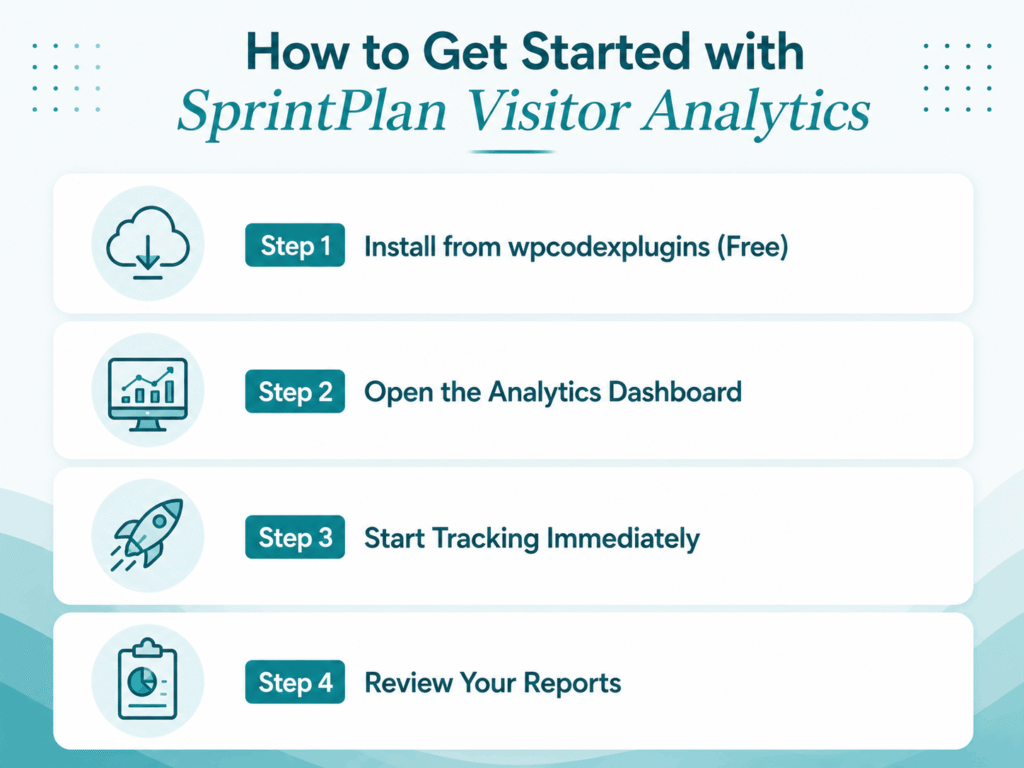
Step 1 — Install from wpcodexplugins (Free)
Navigate to WPcodexplugins → Plugins → Add New. Search for “SprintPlan Visitor Analytics” and click Install Now, then Activate. The plugin is completely free and available directly from the WordPress plugin repository.
Alternatively, wordpress plugins visitor analytics to download the zip file and upload it manually via Plugins → Upload Plugin.
Step 2 — Open the Analytics Dashboard
After activation, a new menu item labeled SprintPlan appears in your WordPress admin sidebar. Click it to open the analytics dashboard.
Step 3 — Start Tracking Immediately
No configuration is required. SprintPlan begins recording visitor data the moment it is activated. Revisit the dashboard after a few hours to see your first traffic reports.
Step 4 — Review Your Reports
Use the dashboard charts to review daily visitor counts, top pages, traffic trends, and user activity logs. Filter by date range to compare traffic performance across different time periods.
Frequently Asked Questions
What does SprintPlan Visitor Analytics track?
SprintPlan tracks page views, unique visitors, visit timestamps, pages visited per session, and overall traffic trends. All data is stored inside your WordPress database and visible through the plugin’s built-in dashboard.
Is SprintPlan Visitor Analytics really free?
Yes. SprintPlan Visitor Analytics is completely free and available from the WordPress.org plugin repository. There are no premium tiers, no hidden fees, and no subscription required.
Does it work without a Google account?
Yes. SprintPlan has no connection to Google or any other third-party service. It works entirely within WordPress and requires no external account of any kind.
Will SprintPlan slow down my website?
No. SprintPlan is designed to be lightweight. It does not load external JavaScript libraries and adds minimal overhead to your site’s performance. Unlike Google Analytics, it does not make outgoing requests to external servers on every page load.
Is SprintPlan GDPR compliant?
Because SprintPlan stores all visitor data on your own server and does not share data with any third party, it has a significantly smaller GDPR footprint than Google Analytics or similar external platforms. We recommend reviewing your own privacy policy to ensure it reflects your tracking practices.
Can I use SprintPlan alongside Google Analytics?
Yes. SprintPlan can run alongside Google Analytics or any other analytics plugin without conflict. Many users run both — using SprintPlan for a quick at-a-glance dashboard inside WordPress and Google Analytics for deeper reporting.
Does SprintPlan work on WooCommerce stores?
Yes. SprintPlan tracks all pages on your WordPress site, including WooCommerce product pages, category pages, and the checkout flow. It does not provide WooCommerce-specific e-commerce reports, but it does give you full traffic visibility across your store.
Does it work on WordPress Multisite?
SprintPlan is designed for standard WordPress installations. For Multisite compatibility questions, contact the WP Codex Plugins support team.
How is visitor data stored?
All visitor data is stored in your WordPress database (the same database that powers your website). No data is sent to external servers. You can delete all tracked data at any time by uninstalling the plugin.
Where can we find support?
SprintPlan Visitor Analytics is supported through the WordPress.org support forum and via the WP Codex Plugins contact page.