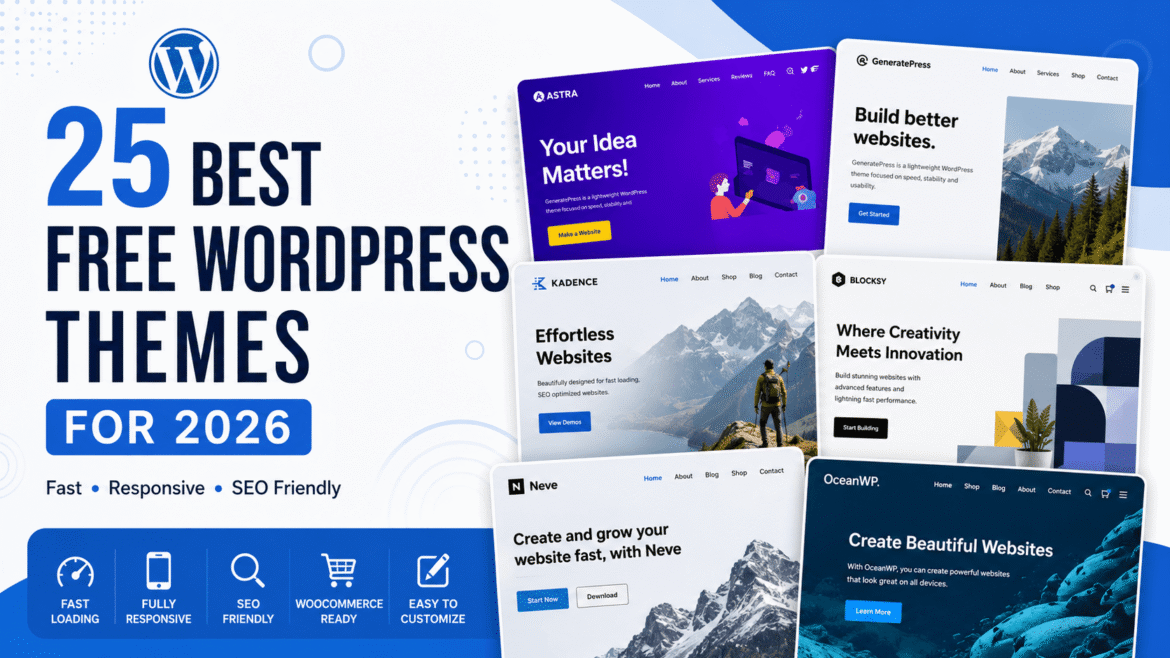
Choosing the right WordPress theme is one of the most important steps when building a website. A good theme doesn’t just make your site look professional—it also affects loading speed, SEO, user experience, and even conversion rates.
The good news is that you don’t have to spend hundreds of dollars to get a beautiful website. There are plenty of free WordPress themes that offer modern designs, excellent performance, and customization options that were once only available in premium themes.
Whether you’re starting a personal blog, launching a business website, creating an online store with WooCommerce, or building a portfolio, there’s a free theme that fits your needs.
To save you time, we’ve carefully selected 25 of the best free WordPress themes for 2026. These themes are regularly updated, mobile-friendly, SEO optimized, and trusted by thousands of WordPress users around the world.
Let’s dive in.
How We Selected These Free WordPress Themes
There are thousands of free themes available in the WordPress repository, but not all of them deliver the same quality. Some haven’t been updated in years, while others can slow down your website or offer very limited customization.
For this list, we focused on themes that perform well in real-world use and meet the needs of modern websites.
Here’s what we looked for:
- Fast loading speed
- Mobile-responsive design
- SEO-friendly code
- Regular updates and active support
- Easy customization
- Compatibility with popular page builders
- WooCommerce support (where available)
- Positive user reviews and active installations
These factors help ensure your website looks great and performs well from day one.
Quick Comparison Table
| Theme | Best For | WooCommerce | Elementor | Speed |
|---|---|---|---|---|
| Astra | Business, Blog | ✅ | ✅ | ⭐⭐⭐⭐⭐ |
| Kadence | Business | ✅ | ✅ | ⭐⭐⭐⭐⭐ |
| GeneratePress | Performance | ✅ | ✅ | ⭐⭐⭐⭐⭐ |
| Blocksy | Modern Websites | ✅ | ✅ | ⭐⭐⭐⭐⭐ |
| Neve | Small Business | ✅ | ✅ | ⭐⭐⭐⭐⭐ |
| OceanWP | Multipurpose | ✅ | ✅ | ⭐⭐⭐⭐☆ |
| Hello Elementor | Elementor Users | ✅ | ⭐⭐⭐⭐⭐ | ⭐⭐⭐⭐⭐ |
25 Best Free WordPress Themes
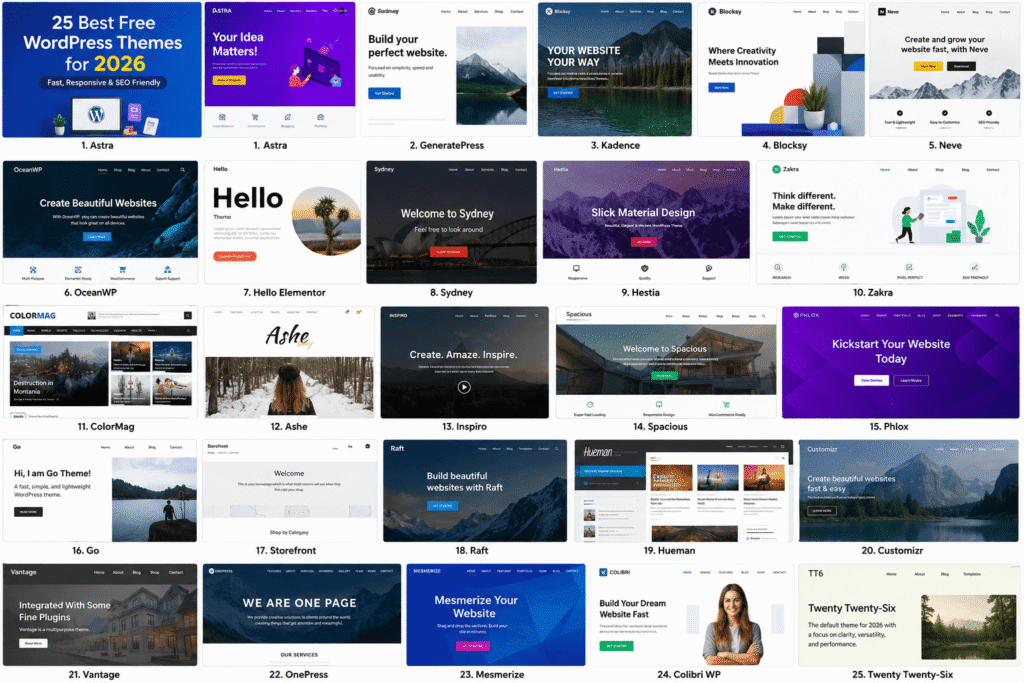
1. Astra
Astra continues to be one of the most popular free WordPress themes, and for good reason. It’s lightweight, loads quickly, and gives you complete flexibility to build almost any type of website.
Whether you’re creating a personal blog, an online store, or a business website, Astra provides professionally designed starter templates that help you get online much faster.
It also works seamlessly with Elementor, Gutenberg, Beaver Builder, and other popular page builders.
Pros
- Extremely lightweight
- Excellent loading speed
- WooCommerce ready
- Large collection of starter templates
- Beginner-friendly customization
Cons
- Some advanced features require the Pro version.
Best For: Blogs, businesses, agencies, and WooCommerce stores.
2. GeneratePress
If website speed is your top priority, GeneratePress deserves a place on your shortlist. The theme is built with clean, efficient code that keeps your website lightweight while giving you plenty of customization options.
Many developers and SEO professionals recommend GeneratePress because it performs exceptionally well in Core Web Vitals and works smoothly with the WordPress block editor.
Despite its simple appearance, it’s flexible enough for blogs, company websites, and online stores.
Pros
- Outstanding performance
- Clean code
- SEO friendly
- Responsive on all devices
- Compatible with major plugins
Cons
- Some design options are available only in the premium version.
Best For: Bloggers, developers, and performance-focused websites.
3. Kadence
Kadence has become one of the fastest-growing WordPress themes thanks to its clean design and easy customization options.
The free version includes an intuitive header and footer builder, attractive starter templates, and excellent compatibility with WooCommerce. Even beginners can create a professional-looking website without touching a single line of code.
If you’re looking for a theme that balances design, speed, and flexibility, Kadence is a solid choice.
Pros
- Modern design
- Fast performance
- Easy customization
- WooCommerce compatible
- Mobile responsive
Cons
- Some template packs are available only with the premium version.
Best For: Business websites, freelancers, and online stores.
4. Blocksy
Blocksy is a modern WordPress theme built with speed and flexibility in mind. It works perfectly with the WordPress Block Editor and popular page builders like Elementor and Beaver Builder. The free version includes plenty of customization options, making it easy to create a unique website without coding.
Whether you’re building a blog, business website, or WooCommerce store, Blocksy offers a smooth and user-friendly experience.
Pros
- Lightweight and fast
- WooCommerce ready
- Responsive design
- Header and footer builder
- Beginner friendly
Cons
- Some advanced features require the Pro version.
Best For: Business websites, blogs, and online stores.
5. Neve
Neve is a lightweight WordPress theme designed for speed and simplicity. It loads quickly and offers dozens of starter sites that help you launch a website in just a few clicks.
The theme works well with Elementor, Gutenberg, Brizy, and other page builders, making it a great option for beginners and professionals alike.
Pros
- Fast loading
- SEO optimized
- Mobile responsive
- WooCommerce support
- Easy customization
Cons
- Some templates are premium only.
Best For: Small businesses, agencies, and blogs.
6. OceanWP
OceanWP has been a popular choice for years because of its flexibility and feature-rich free version. It supports multiple page builders and integrates well with WooCommerce.
You can build almost any type of website using OceanWP, from personal blogs to online stores.
Pros
- Multipurpose design
- WooCommerce integration
- Responsive layout
- Large extension library
- Good customization options
Cons
- The settings panel may feel overwhelming for beginners.
Best For: WooCommerce stores and multipurpose websites.
7. Hello Elementor
Hello Elementor is the official theme from Elementor. Unlike traditional themes, it provides a clean foundation that lets Elementor handle the entire design.
If you build websites primarily with Elementor, this is one of the best free themes available.
Pros
- Extremely lightweight
- Perfect Elementor compatibility
- Fast performance
- Minimal code
- Beginner friendly
Cons
- Not ideal without Elementor.
Best For: Elementor users and landing pages.
8. Sydney
Sydney is a professional-looking business theme with plenty of customization features. It includes Google Fonts, layout controls, color options, and WooCommerce compatibility.
It’s ideal for freelancers, startups, and agencies looking for a polished online presence.
Pros
- Professional design
- Responsive layout
- Easy customization
- WooCommerce ready
- Regular updates
Cons
- Some starter sites require Pro.
Best For: Business websites and freelancers.
9. Hestia
Hestia offers a clean one-page design that works well for startups, agencies, and small businesses. It integrates smoothly with Elementor and Gutenberg while providing an attractive homepage layout.
Pros
- Modern design
- SEO friendly
- WooCommerce support
- Responsive
- Easy setup
Cons
- Limited customization in the free version.
Best For: Small businesses and portfolios.
10. Zakra
Zakra is a flexible multipurpose WordPress theme suitable for blogs, business websites, education sites, and online stores. It comes with several free starter templates and offers excellent performance.
Pros
- Lightweight
- Fast loading
- Mobile friendly
- WooCommerce support
- Multiple demos
Cons
- Premium version unlocks more templates.
Best For: Business and educational websites.
11. ColorMag
ColorMag is one of the most popular magazine-style WordPress themes. If you publish news, reviews, or blog articles regularly, this theme is worth considering.
Pros
- Magazine layout
- Responsive design
- Advertisement ready
- SEO optimized
- Easy customization
Cons
- Better suited for content-heavy websites.
Best For: News, magazines, and blogs.
12. Ashe
Ashe focuses on elegant typography and clean layouts. Food bloggers, travel bloggers, and lifestyle websites will appreciate its simple yet attractive design.
Pros
- Beautiful typography
- Lightweight
- WooCommerce compatible
- Responsive
- Beginner friendly
Cons
- Limited homepage layouts.
Best For: Lifestyle and personal blogs.
13. Inspiro
Inspiro is designed for photographers, videographers, and creative professionals. It includes beautiful full-width layouts that help showcase images and videos.
Pros
- Attractive design
- Video support
- Responsive
- Fast performance
- Easy customization
Cons
- Creative-focused design may not suit every website.
Best For: Photography portfolios.
14. Spacious
Spacious lives up to its name with clean layouts and plenty of white space. It’s a reliable choice for corporate websites and personal blogs.
Pros
- Clean design
- Responsive
- WooCommerce ready
- Beginner friendly
- SEO optimized
Cons
- Simple compared to newer themes.
Best For: Business websites.
15. Phlox
Phlox offers a large collection of starter demos and supports Elementor out of the box. The free version provides enough features for most small business websites.
Pros
- Beautiful demos
- Elementor compatible
- Responsive
- WooCommerce support
- Flexible layouts
Cons
- Can feel heavy if many features are enabled.
Best For: Creative websites.
16. Go
Go is a minimal WordPress theme built for speed and simplicity. It works especially well with the Gutenberg editor and offers a distraction-free experience.
Pros
- Fast loading
- Clean interface
- Responsive
- Gutenberg optimized
- Lightweight
Cons
- Limited design features.
Best For: Bloggers.
17. Storefront
Storefront is the official WooCommerce theme. It offers seamless compatibility with WooCommerce and provides a stable foundation for online stores.
Pros
- Official WooCommerce theme
- Fast
- Reliable
- Responsive
- Easy integration
Cons
- Design is fairly basic.
Best For: WooCommerce stores.
18. Raft
Raft is a lightweight Full Site Editing (FSE) theme that embraces modern WordPress features. It’s fast, customizable, and works well for blogs and business websites.
Pros
- FSE support
- Lightweight
- Responsive
- Modern layouts
- Fast performance
Cons
- Requires familiarity with the Site Editor.
Best For: Modern WordPress websites.
19. Hueman
Hueman is a long-standing favorite for content-heavy websites. Its multi-column layout works especially well for blogs and online magazines.
Pros
- Great reading experience
- Responsive
- SEO friendly
- Multiple sidebars
- Reliable updates
Cons
- Traditional design style.
Best For: Large blogs.
20. Customizr
Customizr offers extensive customization options while remaining beginner friendly. It supports WooCommerce and adapts well to different website types.
Pros
- Easy customization
- Mobile responsive
- WooCommerce ready
- Fast loading
- SEO optimized
Cons
- Interface can feel dated.
Best For: Business and personal websites.
21. Vantage
Vantage combines Page Builder support with a professional design, making it suitable for small businesses and service-based websites.
Pros
- Responsive
- WooCommerce compatible
- Stable performance
- Easy setup
- Flexible layouts
Cons
- Older design compared to newer themes.
Best For: Business websites.
22. OnePress
OnePress is a clean one-page WordPress theme that works well for agencies, startups, and landing pages.
Pros
- Elegant design
- Responsive
- SEO friendly
- Easy customization
- Smooth scrolling sections
Cons
- Less suitable for complex websites.
Best For: Landing pages and startups.
23. Mesmerize
Mesmerize provides a live homepage builder that lets you customize your website visually. It’s easy to use even if you’re new to WordPress.
Pros
- Live editing
- Responsive
- WooCommerce support
- Beginner friendly
- Attractive layouts
Cons
- Some blocks are premium.
Best For: Beginners.
24. Colibri WP
Colibri WP is a flexible theme with a drag-and-drop editing experience. It comes with several ready-made website templates to help you get started quickly.
Pros
- Visual editing
- Modern templates
- Responsive
- WooCommerce ready
- Beginner friendly
Cons
- Advanced features require Pro.
Best For: Small businesses and freelancers.
25. Twenty Twenty-Six
Twenty Twenty-Six is the default WordPress theme that showcases Full Site Editing. It’s lightweight, accessible, and regularly updated by the WordPress community.
If you want a theme built specifically for the latest WordPress features, this is an excellent choice.
Pros
- Official WordPress theme
- Fast loading
- Full Site Editing support
- Accessible
- Regular updates
Cons
- Minimal design compared to premium themes.
Best For: Bloggers, developers, and modern WordPress websites.
How to Choose the Right WordPress Theme
With so many free WordPress themes available, choosing the right one can feel overwhelming. Instead of picking a theme based only on its appearance, consider how it will support your website in the long run.
Here are a few things to keep in mind before making your decision:
1. Choose a Theme That Matches Your Website
Think about the type of website you’re building. A blog, business website, online store, or portfolio all have different design needs. Pick a theme that fits your goals instead of trying to make an unrelated theme work.
2. Prioritize Speed
A fast-loading website provides a better experience for visitors and can improve your search engine rankings. Lightweight themes like Astra, GeneratePress, and Neve are known for their excellent performance.
3. Check Mobile Responsiveness
Most people browse websites on their phones, so your theme should look great on every screen size. A responsive design ensures visitors can easily navigate your site on mobile, tablet, and desktop devices.
4. Look for SEO-Friendly Code
A well-coded theme helps search engines crawl your website more efficiently. While a theme alone won’t guarantee higher rankings, clean code and fast performance create a strong foundation for your SEO efforts.
5. Make Sure It’s Compatible with Popular Plugins
If you plan to use plugins like WooCommerce, Elementor, Contact Form 7, or SEO plugins, make sure your chosen theme supports them without compatibility issues.
6. Check Updates and Support
Themes that receive regular updates are more secure and stay compatible with the latest version of WordPress. It’s also helpful if the developer provides documentation or community support.
7. Consider Future Growth
You might start with a simple blog today and expand into an online store later. Choosing a flexible theme now can save you the hassle of redesigning your website in the future.
Frequently Asked Questions (FAQ)
Which is the best free WordPress theme?
There isn’t a single best theme for every website. Astra, GeneratePress, Kadence, and Blocksy are among the most popular choices because they combine speed, flexibility, and easy customization.
Are free WordPress themes safe to use?
Yes, as long as you download them from the official WordPress Theme Directory or trusted developers. Avoid downloading themes from unknown websites, as they may contain outdated code or security risks.
Can I use a free WordPress theme for my business website?
Absolutely. Many free themes offer professional designs and features that are suitable for business websites, portfolios, blogs, and even online stores.
Do free WordPress themes support WooCommerce?
Many of them do. Themes like Astra, OceanWP, Storefront, Kadence, Blocksy, and Neve work well with WooCommerce and let you create a fully functional online store.
Which free WordPress theme is the fastest?
GeneratePress, Astra, Neve, and Hello Elementor are widely recognized for their lightweight code and fast loading times.=
Can I customize a free WordPress theme?
Yes. Most free themes allow you to change colors, fonts, layouts, logos, menus, and widgets using the WordPress Customizer or Site Editor. Premium versions usually include additional customization options.
Should I upgrade to the premium version?
If your website requires advanced features such as more templates, header builders, custom layouts, or dedicated support, upgrading can be worthwhile. However, many websites can be built successfully using the free versions alone.