
WPSprintPlan · VoIP Billing
Sell plans, run Twilio Voice sessions, schedule multi-counselor appointments, and bill with Stripe or PayPal- without stitching five tools together.
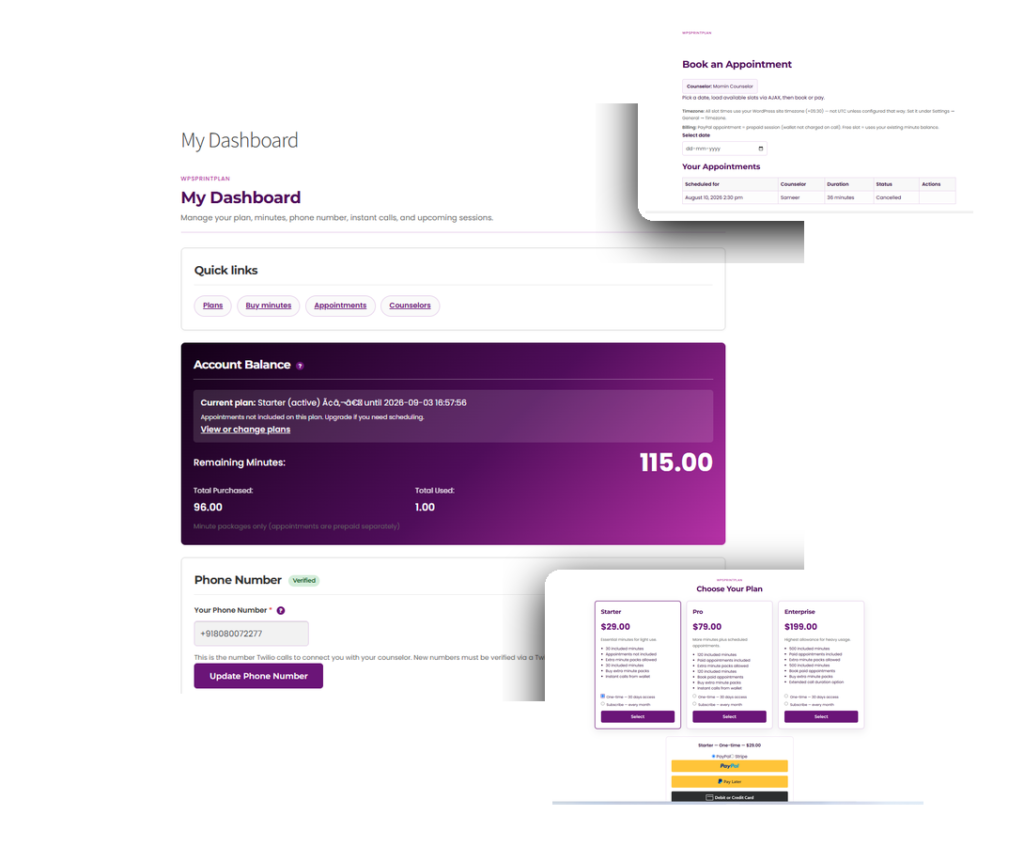
Sandbox-friendly frontend for plans, dashboard, booking, and appointments.
Who it's for
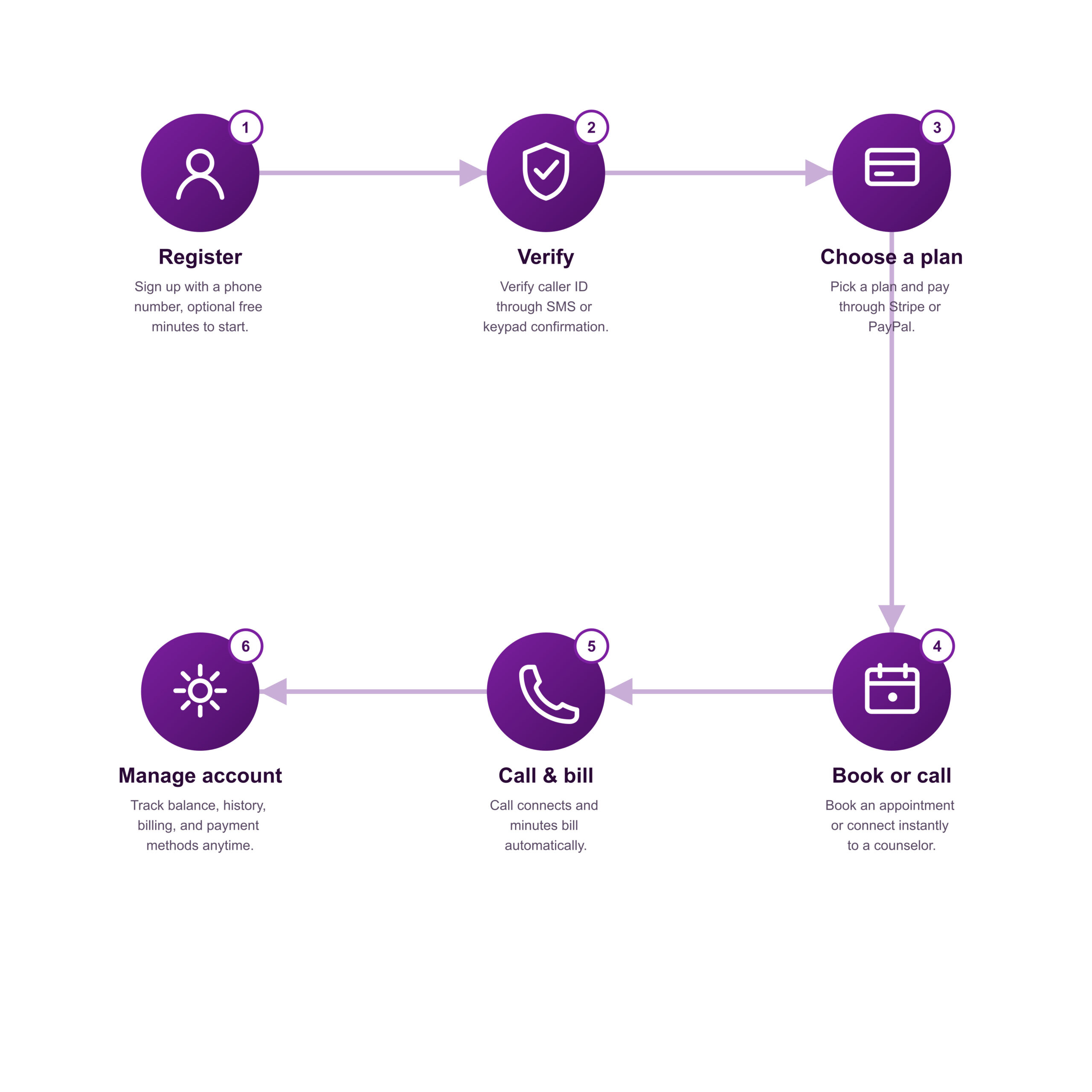
How it works
Features
Plans & wallet
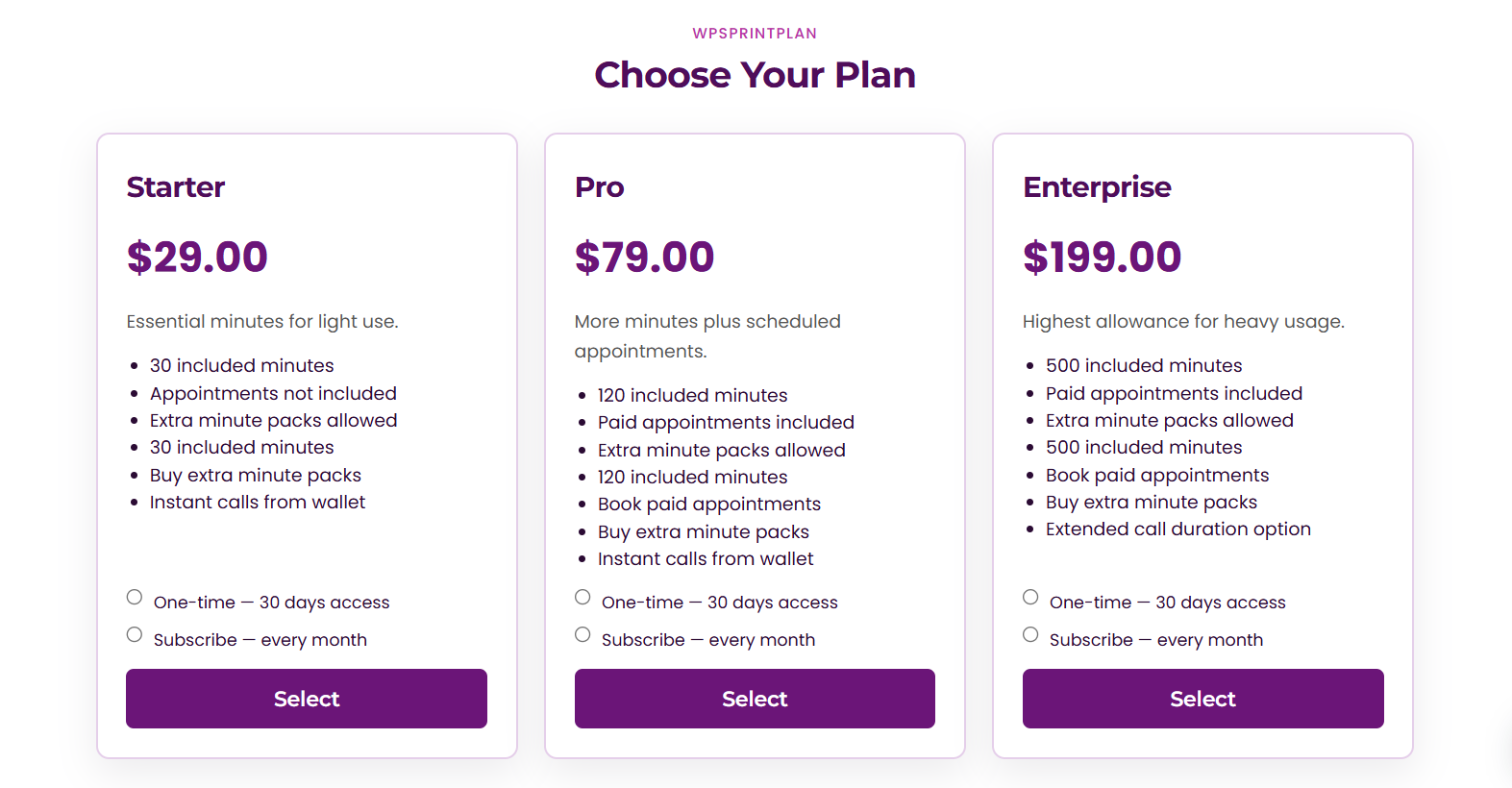
Sell commercial plans in Starter, Pro, and Enterprise-style tiers, available as one-time access or recurring subscriptions, with included minutes credited to a wallet on activation.
Clients can also buy extra minute packs separately. Plan changes are handled safely - the old subscription is cancelled before the new plan activates and repurchasing a plan a client already holds is blocked with a clear message.
Payments
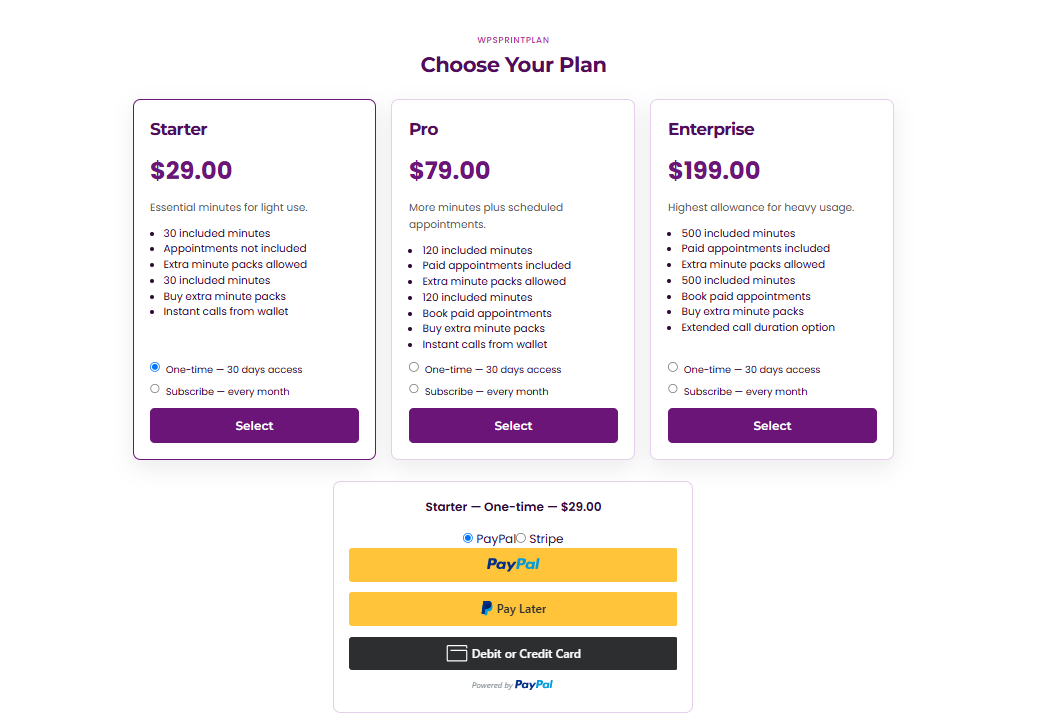
Both PayPal and Stripe are supported, and you can enable one or both. A default checkout gateway can be set globally, with optional per-context overrides for plans, minutes, and appointments.
When both gateways are live, a picker appears on the frontend so clients choose their preferred method. Payment confirmation is idempotent, meaning a retried or replayed confirmation never results in a double credit, and the admin payments list supports both full and partial refunds.
Subscriptions lifecycle
Subscriptions can be set to cancel at period end, and clients get access to a billing portal for self-service management, alongside PayPal's own billing manage and recovery links.
Failed invoices or suspended subscriptions move an account into a past-due status, with a grace period before anything is cut off, backed by multi-step dunning emails sent on a day 0 / 3 / 7-style schedule. When a client does cancel, their reason is captured for retention insight.
Voice
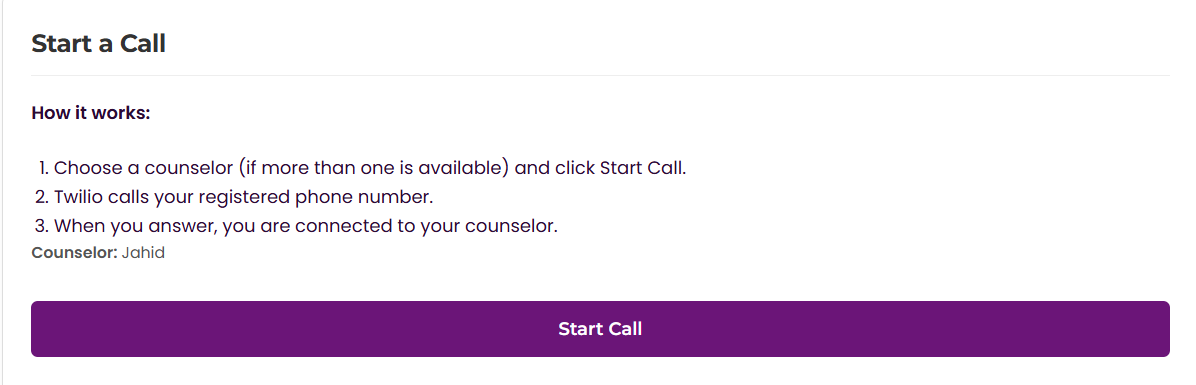
Clients can start instant calls from the dashboard or have the system dial out automatically for scheduled appointments. Calls carry timed limits with warnings as time runs low, and minutes are deducted automatically based on actual call duration.
Busy-counselor protection prevents conflicts between an active call and an imminent appointment, and call routing plus status webhooks are built into the plugin.
Caller ID verification
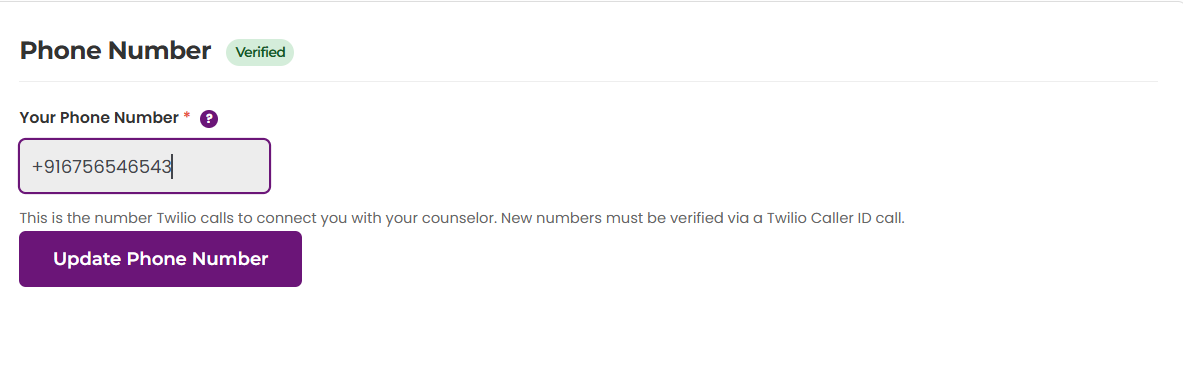
Caller ID verification can be required before OTP login or before placing outbound calls, and is fully configurable. On an upgraded account, verification runs through a validation call plus a 6-digit keypad code; on a trial account, it relies on verified caller IDs synced from the admin panel.
Clients verify their number through a dashboard UI, counselor phone numbers are validated the same way, and admins get a dedicated screen with sync controls.
Appointments & counselors
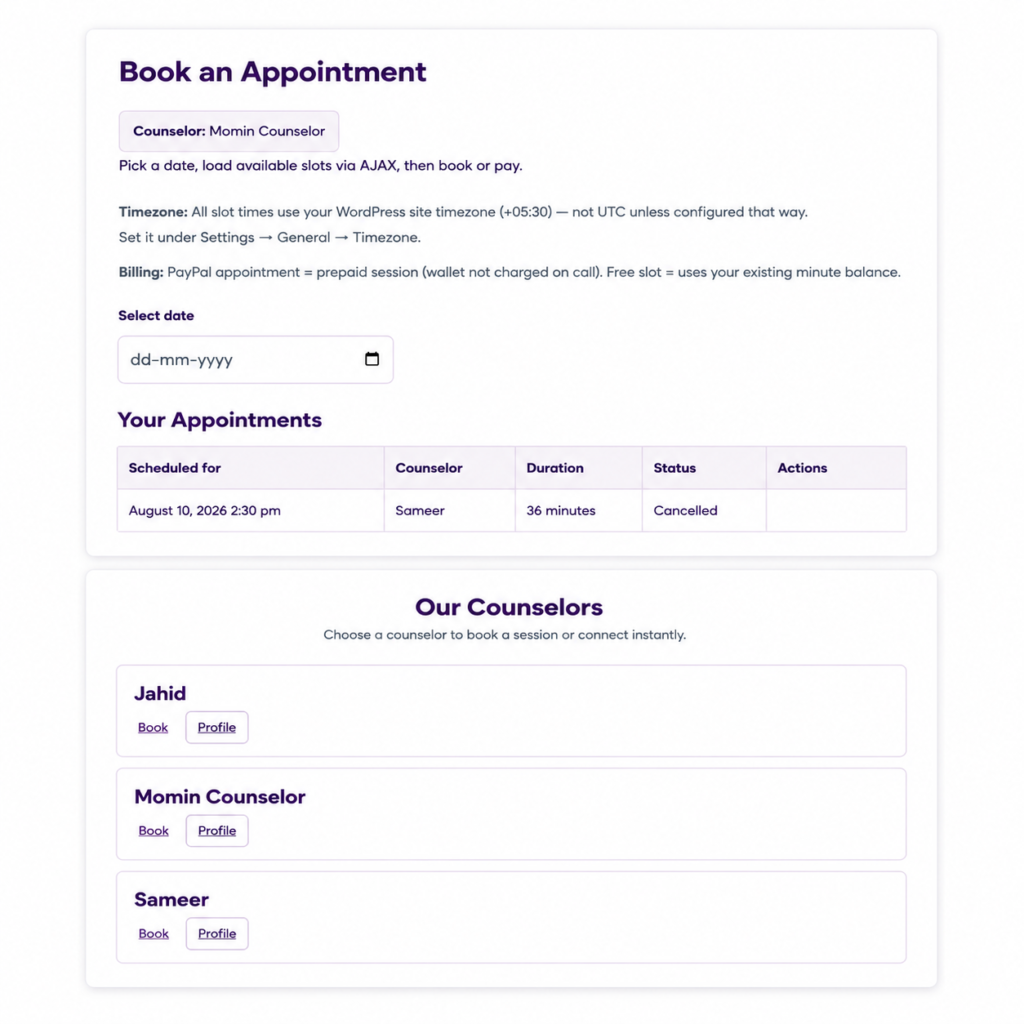
Counselors are managed with public profiles and listed specialties, browsable through a public directory. Time slots can be recurring or date-specific, and appointments can be prepaid.
Both client and counselor receive email confirmations, and reminders go out by email and SMS with every send logged. Clients can reschedule or cancel appointments under a credit or refund policy, and an instant-call block window prevents conflicts right before a scheduled session.
Auth & client experience
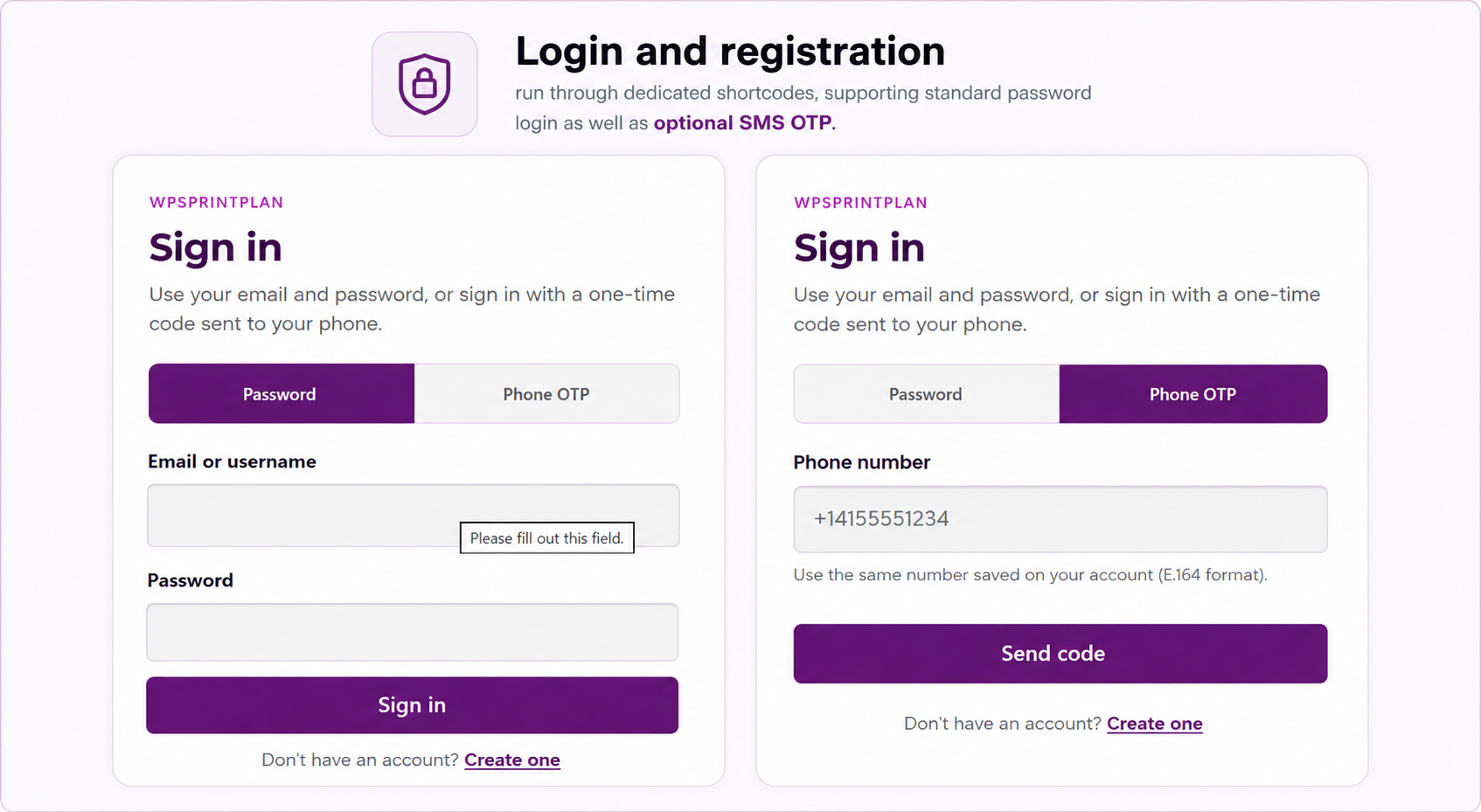
Login and registration run through dedicated shortcodes, supporting standard password login as well as optional SMS OTP. The branded client dashboard covers plan status, wallet balance, call history, payments, and the ability to start a call directly.
When call recording is enabled, clients see a privacy notice and a consent checkbox before anything is recorded.
Recording & compliance
Call recording is optional and requires explicit client consent before it starts, with a spoken privacy notice played to the client and a separate whisper notice played to the counselor before the bridge connects. Recordings follow a configurable retention period with an automatic purge cron, though a legal hold can block deletion when needed.
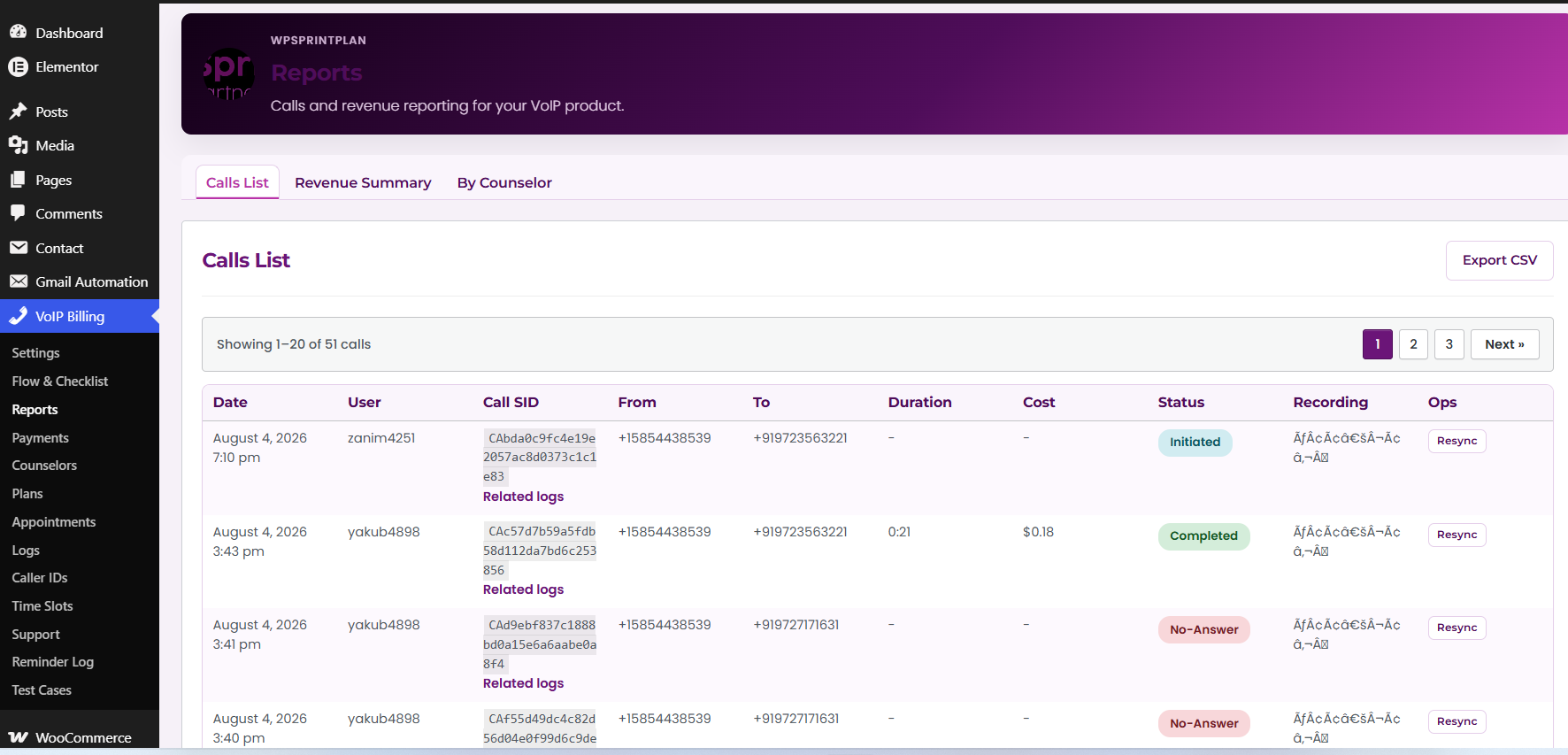
Every recording action is tracked in an audit trail covering downloads and deletions with a stated reason, and admins can download or delete recordings directly from the Reports screen.
Admin & operations
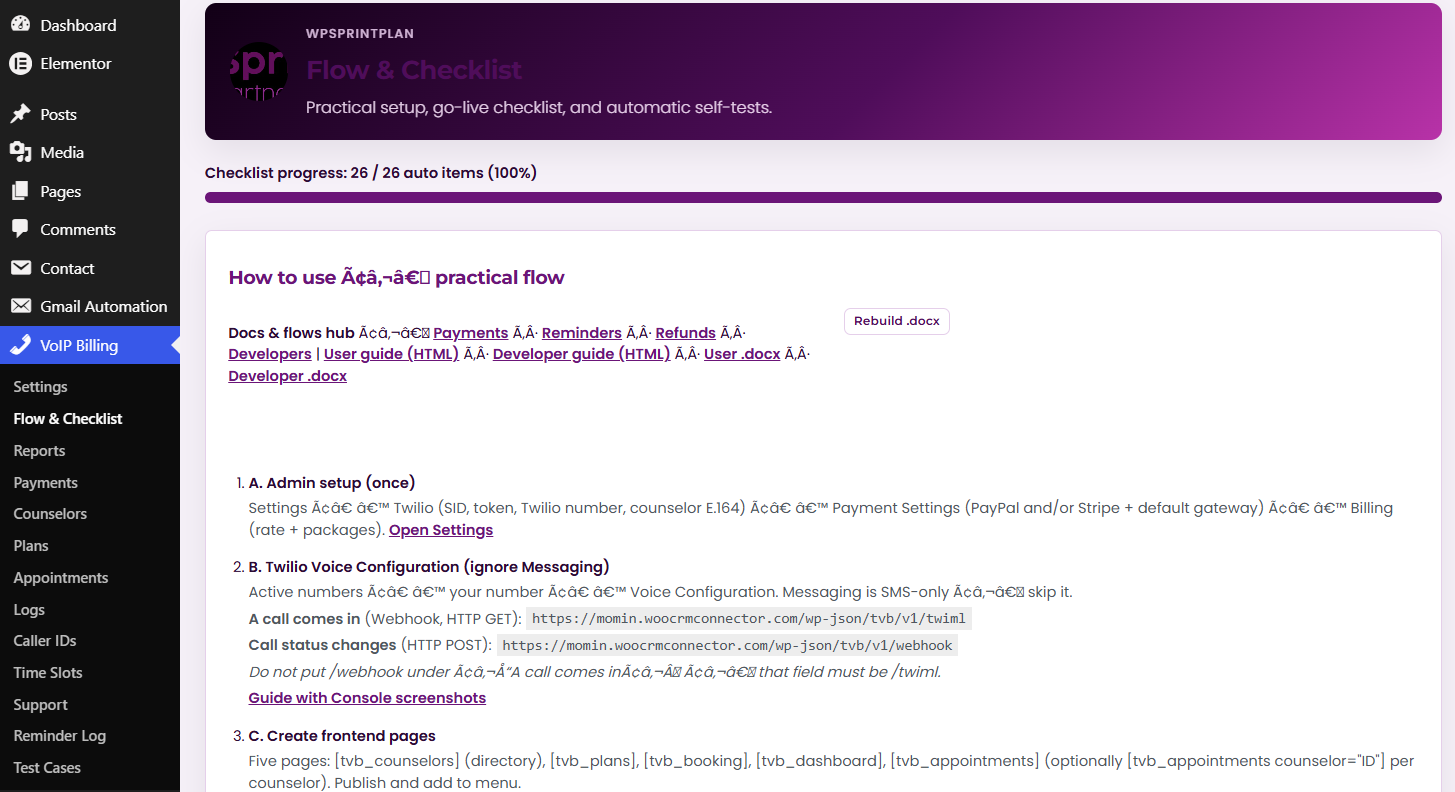
The admin side includes a Flow & Checklist section with setup guides for plans and appointments, full CRUD for plans, and screens for payments, refunds, and wallet adjustments. Appointments, time slots, and counselors are all managed centrally, alongside caller IDs and the reminder log.
A support timeline pulls together a client's ledger, calls, appointments, and payments in one view, and reports cover call volume, revenue, CSV exports, and call resyncing. Structured logs with search and filtering, connection tests in Settings, and a priority-ordered admin menu round out the operational tooling.
Internationalization
The plugin is translation-ready, using the standard Domain Path convention, ships with a POT file and an en_US PO/MO pack, and the POT file itself can be regenerated through the project's build scripts.
Frontend shortcodes
Shortcode
What the page does
[tvb_plans]
Pricing & plan checkout
[tvb_dashboard]
Account hub, instant calls, history
[tvb_booking]
Buy extra minutes
[tvb_appointments]
Book scheduled sessions
[tvb_counselors]
Counselor directory
[tvb_counselor]
Single counselor embed
[tvb_login] / [tvb_register]
Auth
Why teams choose it
VoIP Billing is a single WordPress install. No separate billing SaaS, dialer and calendar tool to glue together. Money flows are real (Stripe, PayPal, subscriptions, refunds, idempotent crediting) and so is telephony (webhooks, caller ID handling, full recording lifecycle).
It’s operations-ready with a support timeline, structured logs, the Flow checklist and a baseline QA test matrix behind it. And it’s agency-friendly with its shortcode-based frontend, developer hooks and a path for adding custom payment gateways.
Live demo
Explore the frontend using sandbox or test credentials where prompted. A good path to click through: register or log in, browse the plans and checkout UI, check the dashboard and balance, look at counselors and appointments, and try the minute packs. For a guided call or webhook setup walkthrough, contact us.
Live demoTech requirements
• WordPress 6.2 or higher
• PHP 7.4 or higher
• A voice calling account
• PayPal and/or Stripe
• WordPress REST API enabled (on by default)
FAQ
Ready to run paid voice sessions on WordPress?
Try the demo, or message us for a setup walkthrough covering webhooks, Stripe/PayPal, and your first live call.
Live demo